SCAL5/6

more paper fun

One thing I really appreciate about the SCAL software is that ability to resize things with a few clicks of the mouse. I can round corners, add or delete nodes. Play with fonts. Change colors and more. Designing is so much fun and rewarding!

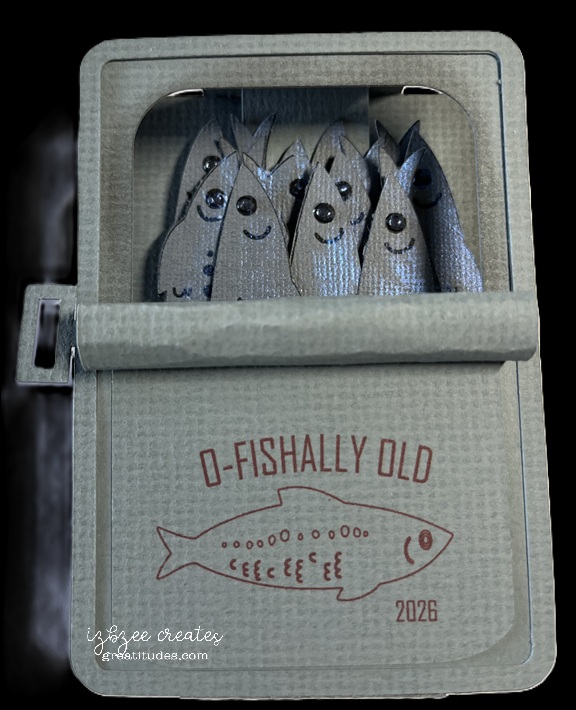
I’ve been eyeing a card on Pinterest for a while, but my budget for purchasing dies and files is on hold for a few weeks. This was an idea that I really needed to get made — so opening SCAL was the first step. All the pieces with the exception of the “fish” were created in SCAL. The fish were a free download from freepik.com. More about them in a minute.

The original card I saw was a slider, but I decided I wanted a box card. Yes, I saw Julie Ebersole’s version of the card, but wanted to do something just a little different, so this is my version.

I traced the jpg version of the file in the software. Once the trace was completed, some of the elements were deleted and those remaining were set to print only. The outline was set to cut. Once the fish were cut, adding a little dimension with some Solar Paste and Nuvo Crystal Drops was all that needed to be done with fish. They were installed on a single insert with some foam tape between layers.

The rolled back top and key were a fun addition. Of course the “label” could be any design your want… I did like this sentiment and there’s plenty of room on the back to add a personalization.

The card folds nearly flat to place in a boxy envelope. It would cost more to mail, but this is a perfect card to hand deliver to a special recipient.

card frenzy!

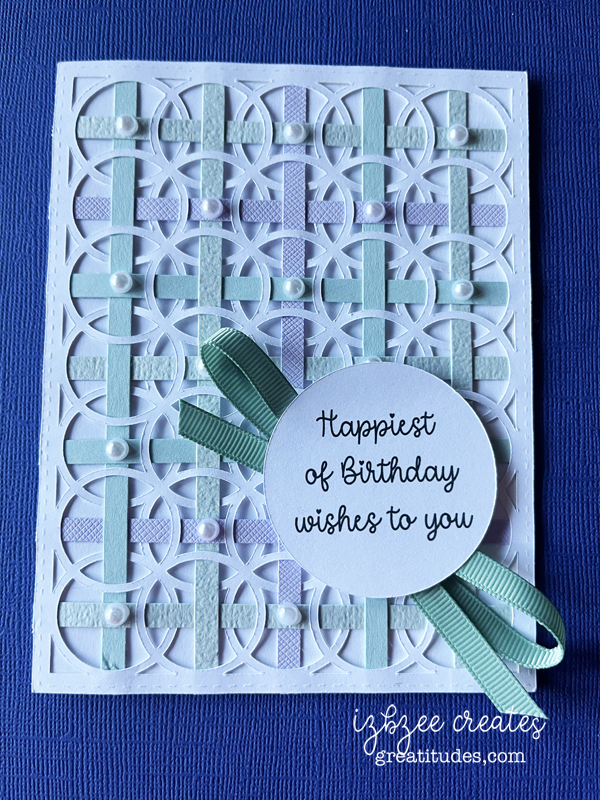
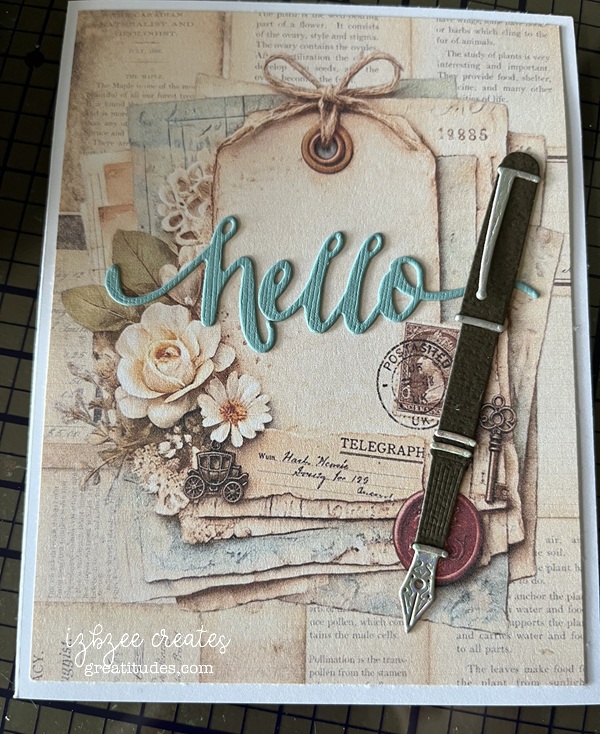
It’s been a busy couple of weeks. June’s cards are nearly finished. The monthly stack (20) of cards went out in the mail last Friday along with those birthday cards happening in the first week of June (sorry, we have to wait on those to be delivered before I share).

The monthly stack is a hybrid card – digital images from Southern Creek Designs on Etsy (Postmarked) combining the pen (from the Greetery) and the hello (W Plus 9) dies used to add a little more interest and dimension. I’ve enjoyed putting these together. The digital collection was perfect for this one.

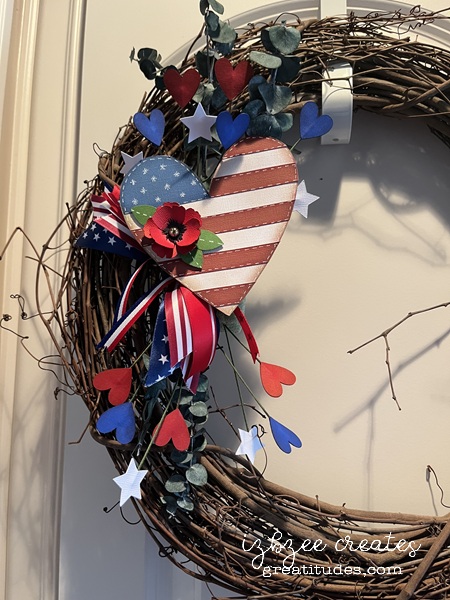
NOT A CARD! Memorial Day has come and gone, but we added a couple of new pieces to our home decor. Both will carry over for the 4th of July.

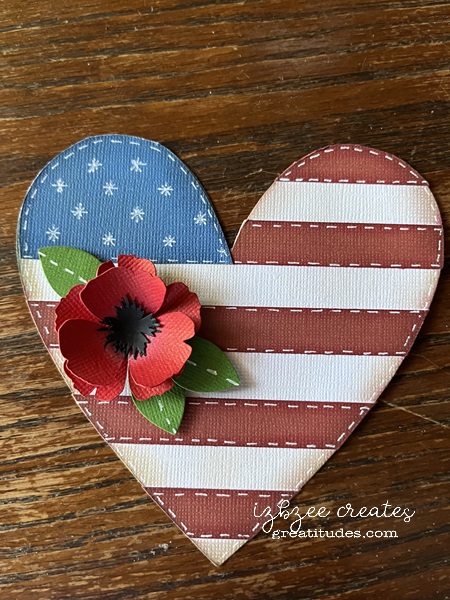
The heart is based on a felt ornament that came across my feed in both FB and on IG. Easy to replicate and add my own touch using SCAL and cutting the pieces on the Skycut. The poppy is from Abbi Kirsten. The hearts and stars were from the SCAL library. The ribbons are leftovers from a project we did a couple of years ago. Glad I held on to them.

Here’s a close up of the heart:

The second piece created used some files from Simply Crafty SVGs as shared in this post: https://greatitudes.com/2026/05/21/a-fun-idea/

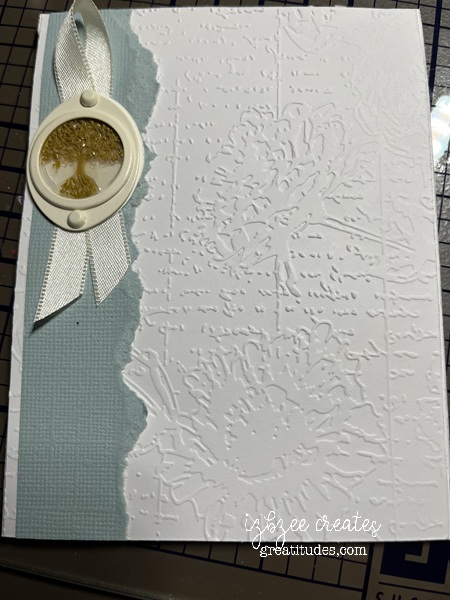
One last card for this post: Sympathy cards are the most difficult for me to make, especially when there is a closeness to the family and their loss. This card was one that had a life of it’s own. We tried several things, but nothing seemed to work until I had a dream and saw what needed to be the focal piece in the metal frame we were adding to the card. The wax seal was a leftover from another project. It fit perfectly in the frame and was just what the card needed. The feedback was more than anticipated…

This card was made with things from my stash — all of the major elements are retired. You could, of course use other elements to achieve the same look and feel.

I guess that’s it for right now, just have to wait for a few more things to be delivered before posting… so a couple more posts coming up in the next couple of weeks.

Hoping your week is a creative one and your heart is nurtured along the way with good things and many memorable moments. ENJOY!

A fun idea

I have to admit, this wasn’t my first vision of this project, but I think this one turned out pretty good. Using the Halloween Books and Square Birthday Candle Box files from Simply Crafty SVGs – this decor piece was easy to put together and finish in a matter or a few hours after cutting. I think the cutting took longer since I was having issues with a blade and a new mat. They didn’t like each other, but that story is for another time.

The firecrackers/candles were easy to do. I did start by modifying the file and resized the main file pieces by 50%. The front panel is a combination of rectangles created using the SCAL software. All but the star is inked. Following the directions for assembly in the file, these are very easy to put together. To adjust for the other two, lengthening the box file (no changes in the width) and bottom pieces is pretty easy. There’s about an additional inch added to the middle cracker and another 1/4 inch added to the tallest. You will have to adapt the upper flap as it is too long to fit. Add another score line where the new fold should be. You can certainly glue this together after inserting the wick which is a piece of jute wrapping.

The books are cut using the file as is. I created another spine piece for each of the books — using the shadow layer feature in SCAL. Easy to do, just make sure you use the blackout box and the shadow is 0.00 – so it’s exactly the same size. There are other ways to do it, but this is just easy as well. Choose the words and font/s you want to use and create them in the software — leaving a small space at each end of the panel. Using some small rectangles or flourishes, place those to finish the spine as desired. The book paper panels are scored using a scoreboard and bone folder every 1/8 inch and inked.

Assembly videos can be found on Sandy’s YouTube channel.
Square Birthday Candles
Halloween Books

For this project you’ll need:
12 x 12 cardstock (red, white blue, off white)
gold vinyl (permanent)
glue
jute
ink (red, lt brown, black, dk blue, lt grey)
score board, bone folder
closure (optional)

Hoping you’ll have some fun doing some of your favorite creative hobbies. Enjoy the time and nurture your heart as well.

Textures

The challenge for the week was to create something with “texture.” There are so many ideas and my cupboards and drawers are full of some wonderful options.

For this tag, I chose to use some oldies but goodies from my stash – sadly, many things are no longer available.

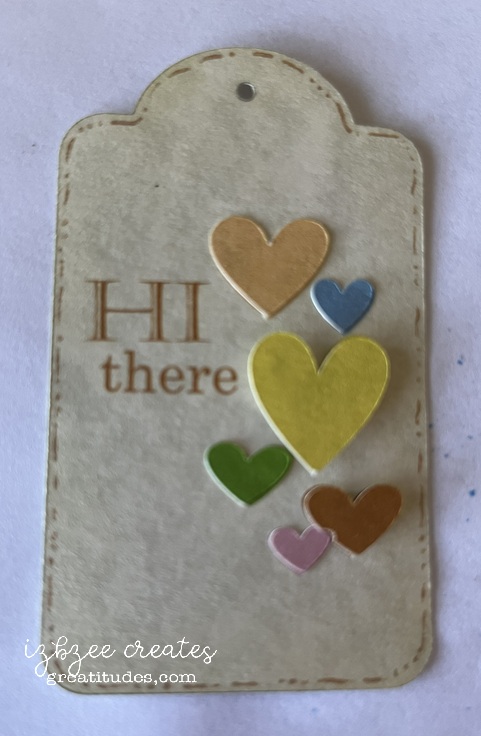
The tag shape was created using two shapes from the SCAL 6 Library and joining them together with the Union command in SCAL 6. Some X’s were added for a little interest on the left side – and were cut not scored during the cutting process by the Skycut. Applied the border embossing folder to the top edge of the tag base. Ink the edges with the distress ink. Add the eyelet.

Cut and emboss the patterned paper piece with a folder, scruff up the edges a bit, ink the edges and glue to the base. Add ribbon and thread and secure in place.

Cut and crimp the strip, ink the edges and glue in place

Cut the backing piece for the frame, stamp and heat emboss the sentiment. Ink the piece leaving the center uninked. Secure in the frame and using brads, secure the frame to the tag base. If desired a backing can be added to the base to hide the brad prongs

Patterned paper – an old 6 x 6 pad (retired long ago)
ivory cardstock
Fiskar crimping tool
border embossing folder – Anna Griffin (Poppy, retired)
Embossing folder – Fun Stampers Journey (retired)
heart shaped eyelet – Eyelets Etc. (retired)
ribbons (stash)
thread (stash)
heat embossing powder -rose
embossing ink – Versa Mark
metal frame – Stampin’ Up! (retired)
hugs stamp – Honey Bee Stamps (Pickup Lines)
distress ink – Ranger (Old Paper)


Hoping your creative time has been productive this week. Thanks for stopping by.

Tower Double Pinwheel card

This was a fun one to create. I basically followed the directions from Crystal Best’s YouTube video for this one. I chose some junk journal images I found on Creative Fabrica (loved the dimension on the images) and a couple of other files also from CF (lined vintage background images and Pastel Ombre images.)*

The finished tower is actually quite sturdy and there are quite a few options on how you use your images of choice on each of the “wings.”

I did turn the smaller layers sideways in my cutting file — my bad, but that’s an easy fix for future makes. This design would also make for a fun mini album or mini journal in a larger album. I made this one in the A2 size (4.25 x 5.50 inches). However, Crystal also has directions for a 5 x 7 design in the same video as shared above which would also be perfect for using some cherished photographs or other small artwork.

A couple of things I really like about the SCAL 6 software (basic or pro) is the option to fill shapes with images using the Pattern command or using a mask option in the software to fussy cut an image. And the Skycut C24 cuts spot on when using the Print 2 Cut option in the software when the calibration has been set. Even better is that regardless of updates to the software, you don’t need to recalibrate the camera/laser. The cutter is a fabulous machine. If the pricing is out of your budget, Skycut is also making a few other machines under different brands (SOLO by Starcraft, Juliet and Romeo by Siser). I’ve heard great things about them all and they can also use the SCAL software as well as the proprietary software sold with the machine.

*I have used affiliate links for all of the Creative Fabrica files I used in this project. If you choose to purchase the files, I will receive a small amount from the sale. Additional costs are not added to your purchase to cover that. AND a huge Thanks for using the links!

4 layer pull-out card

I first saw an example of this card on Pinterest – traced it down to the designer and yep, made a cut file using her free template/measurements found on her YouTube channel. Here’s the link: https://www.youtube.com/watch?v=Wsj4VVUHoDI

The fairy images are from Etsy and the panel image is from Creative Fabrica (one of their many polka dot collections). The opacity is at 33% with a bold dark blue outline which I did want to show a bit when cut. The Deckle edge rectangle is an oldie from Penny Duncan Crafts (2011). The font for the sentiment (Good Friends Never Go Out of Fashion) is Fairy Sketch. No inking on this version of the card.

So fun – It is a little oversized and thick so extra postage on this one.

Have a creative week! Enjoy your time in your studio, browsing for ideas or just musing at your art! And of course, SMILE!

We’ll miss you card

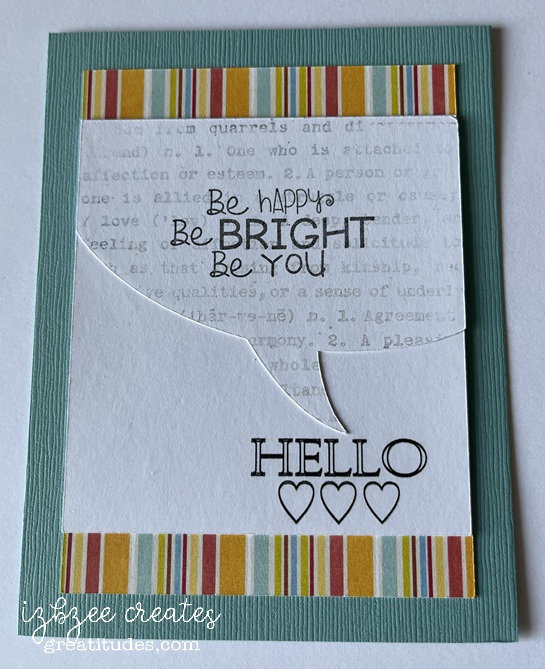
This was a Pinterest inspiration. There are days that something just fits the bill and doesn’t take all day to create. This was one of those quick and easy projects…..

Talk bubble shape is from the SCAL library. Created an inset shadow and changed the outline to dashed. Added another shadow at .075 to go behind the talk bubble. I decided that I would add this as an additional element rather than just having a single layer print and cut… though I think that would work nicely as well. The background paper for the rounded large rectangle was from Creative Fabrica – though I’m not sure it’s still available as I purchased the collection several years ago. The fun font is from Adobe. It’s fun to use more than one font and size for this sentiment.

The bubbles and rectangle are filled with color and pattern and then sent to the printer. Cut using the SCAL 6 software with the Skycut C24 plotter. I really do like my cutter. Print to cut is generally spot on and I don’t have to add a bleed to the shape so ensure an accurate cut.

Hoping you’ll have some time to spend in your creative space soon! Have a great day!


Triple Bridge card

This was a fun card to make — easier than I had originally thought and the inspiration came from a reel as I was scrolling a couple of weeks ago…. yep, I’m finding a few fun ideas here and there during some mindless time on my phone.

The sentiment (thank you) and the flower are from Stampin’ Up! sets long ago retired. *The flower was cut multiple times and then each “layer” was cut separately and inked for a little more volume and interest. The patterned paper is from a very old K&Co stack I purchased while we lived in another state — so it’s likely more than 11 years old.

A fun fact is that the base of the card can be cut from a single 8.5 x 11 inch sheet of cardstock. The panels almost fit on a 6 x 12 inch piece of double sided paper. And probably could if a few of the pieces were moved closer together or were cut by hand.

I enjoyed taking the template measurements and turning this into a SCUT file in SCAL 6 and using my Skycut to cut and save some time in the future when making this card and using digital paper for the panels when certain patterns require some finessing for printing. Only the base and panels were used in the SCUT file.

*The stamp images were not digitized.

You’ll need:

8.5 x 11 inch cardstock in your base color
12 x 12 double sided patterned paper

Scraps for flower and sentiment
Ink pad and blender tool
Glue or dry adhesive (I used Bearly Art Precision Craft glue for this sample, however, I think I’ll use some double sided tape for future makes)
SCAL 6
Skycut C24
Cutting and Scoring Template was found here. I altered the assembly slightly to put my own twist on the idea presented. However all measurements remained the same.

Floral stamp or other stamp for a focal piece
Sentiment stamp


Hoping you’re enjoying an awesome Spring day wherever you are and have inked in some creative time this week or for the upcoming weekend. Enjoy your time and keep nurturing your creative spirit.

Final day of 3 the Spring Tags Reveal

Day3: This was a fun tag to create for the final day of the reveal. All of the foundational pieces were designed in SCAL 6. The digital paper used for the awning of the cart is from NitWit Collection’s Porch Swing Fat Quarter Collection. Print then Cut was so easy and I really like the look. I doubled up that piece and the under piece was colored with some brush watercolor markers in a slightly darker colored pink.

The cart is a pretty fun process and the front wheel is on a mini spinner and that adds a little surprise after using some watercolor maker brushes to add some color and depth. The digital flower strip is from an element in the ephemera collection in Carta Bella’s Spring Market files. I resized the image a bit to fit in the cart. I added some baby’s breath as well. The hot glue almost looks like water in the wells that hold the stems.

Foam tape
Bearly Art Glue
Mini Spinner
Baby’s breath

All but the floral strip were cut using the SCAL 6 software and Skycut C24.

Enjoy a creative day! Take care and have some fun!

3 Spring Tags – Reveal Day 2

Day 2’s tag started out as white paper. I love the ombre look and while it really isn’t shabby chic, it was still fun to create. This is a pinterest inspired project. I know there’s a die that does something similar, however, this one is my design using elements from the SCAL software and the Impact font.

It was fun to play with the font — using several commands and then join to a frame created using a rectangle and an inset shadow layer and another command found in the software. Adding the heart border was quite easy and adds just enough detail that I really like how it makes the boxy framed word a little softer. All layers are inked, the top layer uses two colors blended softly and then the lower two layers are inked to add a little more interest around the edges.

A few gems were added for some added texture (you can’t really see it in the pic) and sparkle.

Ribbons are from my stash.