celebrations

more paper fun

One thing I really appreciate about the SCAL software is that ability to resize things with a few clicks of the mouse. I can round corners, add or delete nodes. Play with fonts. Change colors and more. Designing is so much fun and rewarding!

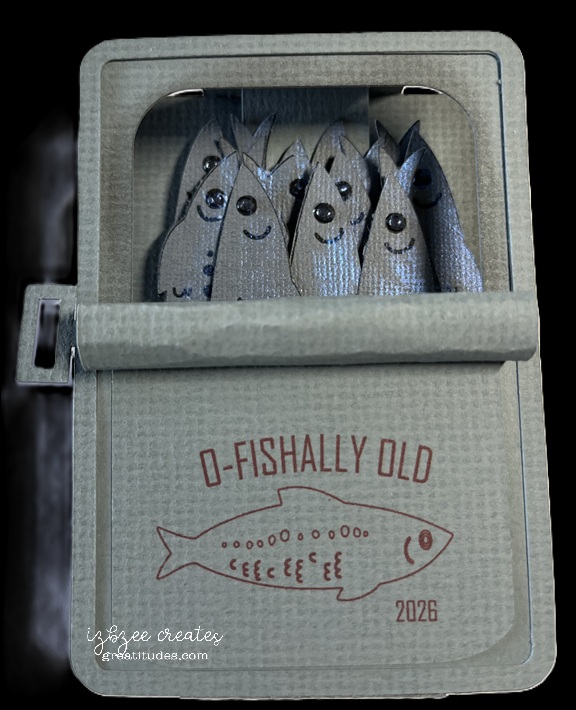
I’ve been eyeing a card on Pinterest for a while, but my budget for purchasing dies and files is on hold for a few weeks. This was an idea that I really needed to get made — so opening SCAL was the first step. All the pieces with the exception of the “fish” were created in SCAL. The fish were a free download from freepik.com. More about them in a minute.

The original card I saw was a slider, but I decided I wanted a box card. Yes, I saw Julie Ebersole’s version of the card, but wanted to do something just a little different, so this is my version.

I traced the jpg version of the file in the software. Once the trace was completed, some of the elements were deleted and those remaining were set to print only. The outline was set to cut. Once the fish were cut, adding a little dimension with some Solar Paste and Nuvo Crystal Drops was all that needed to be done with fish. They were installed on a single insert with some foam tape between layers.

The rolled back top and key were a fun addition. Of course the “label” could be any design your want… I did like this sentiment and there’s plenty of room on the back to add a personalization.

The card folds nearly flat to place in a boxy envelope. It would cost more to mail, but this is a perfect card to hand deliver to a special recipient.

card frenzy!

It’s been a busy couple of weeks. June’s cards are nearly finished. The monthly stack (20) of cards went out in the mail last Friday along with those birthday cards happening in the first week of June (sorry, we have to wait on those to be delivered before I share).

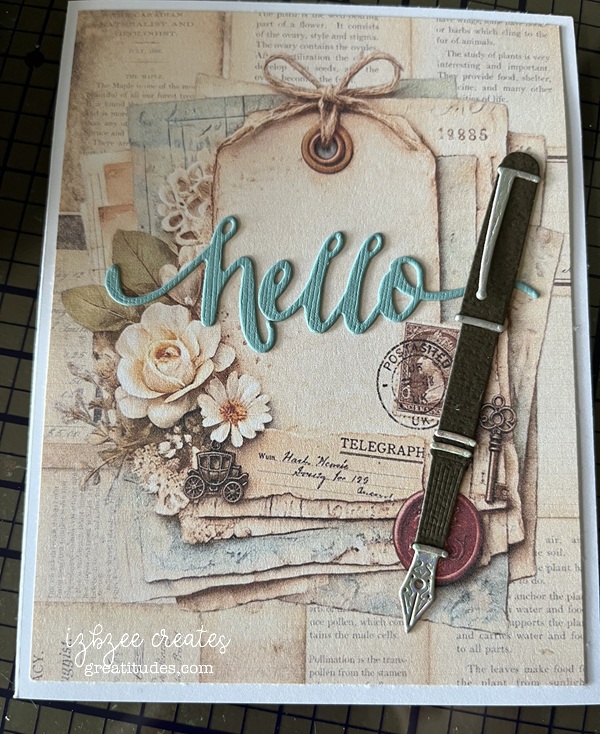
The monthly stack is a hybrid card – digital images from Southern Creek Designs on Etsy (Postmarked) combining the pen (from the Greetery) and the hello (W Plus 9) dies used to add a little more interest and dimension. I’ve enjoyed putting these together. The digital collection was perfect for this one.

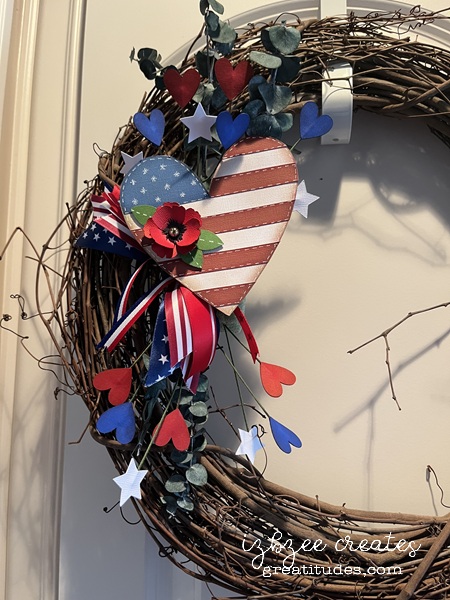
NOT A CARD! Memorial Day has come and gone, but we added a couple of new pieces to our home decor. Both will carry over for the 4th of July.

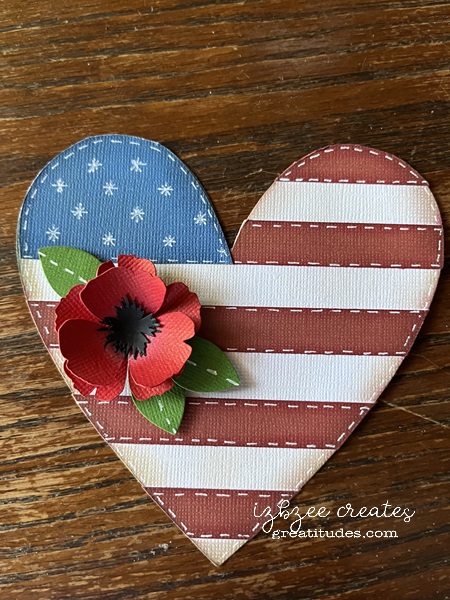
The heart is based on a felt ornament that came across my feed in both FB and on IG. Easy to replicate and add my own touch using SCAL and cutting the pieces on the Skycut. The poppy is from Abbi Kirsten. The hearts and stars were from the SCAL library. The ribbons are leftovers from a project we did a couple of years ago. Glad I held on to them.

Here’s a close up of the heart:

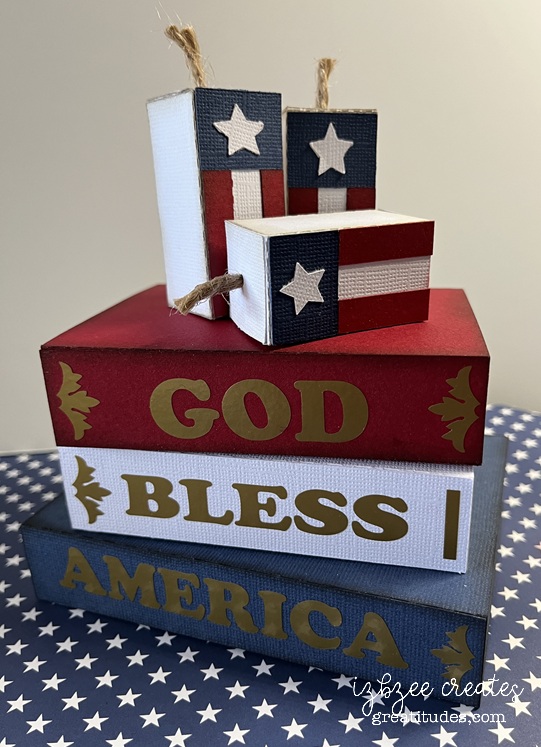
The second piece created used some files from Simply Crafty SVGs as shared in this post: https://greatitudes.com/2026/05/21/a-fun-idea/

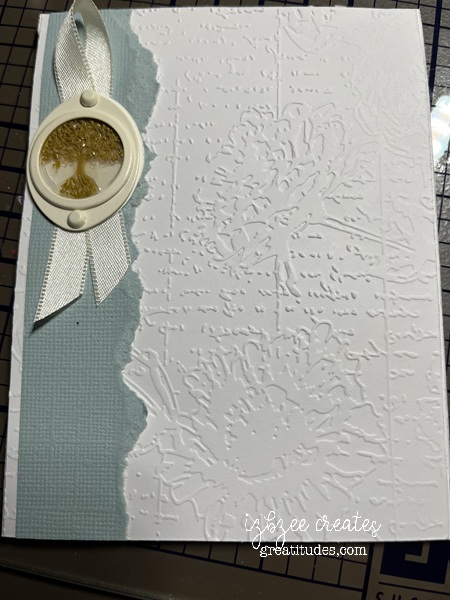
One last card for this post: Sympathy cards are the most difficult for me to make, especially when there is a closeness to the family and their loss. This card was one that had a life of it’s own. We tried several things, but nothing seemed to work until I had a dream and saw what needed to be the focal piece in the metal frame we were adding to the card. The wax seal was a leftover from another project. It fit perfectly in the frame and was just what the card needed. The feedback was more than anticipated…

This card was made with things from my stash — all of the major elements are retired. You could, of course use other elements to achieve the same look and feel.

I guess that’s it for right now, just have to wait for a few more things to be delivered before posting… so a couple more posts coming up in the next couple of weeks.

Hoping your week is a creative one and your heart is nurtured along the way with good things and many memorable moments. ENJOY!

A fun idea

I have to admit, this wasn’t my first vision of this project, but I think this one turned out pretty good. Using the Halloween Books and Square Birthday Candle Box files from Simply Crafty SVGs – this decor piece was easy to put together and finish in a matter or a few hours after cutting. I think the cutting took longer since I was having issues with a blade and a new mat. They didn’t like each other, but that story is for another time.

The firecrackers/candles were easy to do. I did start by modifying the file and resized the main file pieces by 50%. The front panel is a combination of rectangles created using the SCAL software. All but the star is inked. Following the directions for assembly in the file, these are very easy to put together. To adjust for the other two, lengthening the box file (no changes in the width) and bottom pieces is pretty easy. There’s about an additional inch added to the middle cracker and another 1/4 inch added to the tallest. You will have to adapt the upper flap as it is too long to fit. Add another score line where the new fold should be. You can certainly glue this together after inserting the wick which is a piece of jute wrapping.

The books are cut using the file as is. I created another spine piece for each of the books — using the shadow layer feature in SCAL. Easy to do, just make sure you use the blackout box and the shadow is 0.00 – so it’s exactly the same size. There are other ways to do it, but this is just easy as well. Choose the words and font/s you want to use and create them in the software — leaving a small space at each end of the panel. Using some small rectangles or flourishes, place those to finish the spine as desired. The book paper panels are scored using a scoreboard and bone folder every 1/8 inch and inked.

Assembly videos can be found on Sandy’s YouTube channel.
Square Birthday Candles
Halloween Books

For this project you’ll need:
12 x 12 cardstock (red, white blue, off white)
gold vinyl (permanent)
glue
jute
ink (red, lt brown, black, dk blue, lt grey)
score board, bone folder
closure (optional)

Hoping you’ll have some fun doing some of your favorite creative hobbies. Enjoy the time and nurture your heart as well.

Tower Double Pinwheel card

This was a fun one to create. I basically followed the directions from Crystal Best’s YouTube video for this one. I chose some junk journal images I found on Creative Fabrica (loved the dimension on the images) and a couple of other files also from CF (lined vintage background images and Pastel Ombre images.)*

The finished tower is actually quite sturdy and there are quite a few options on how you use your images of choice on each of the “wings.”

I did turn the smaller layers sideways in my cutting file — my bad, but that’s an easy fix for future makes. This design would also make for a fun mini album or mini journal in a larger album. I made this one in the A2 size (4.25 x 5.50 inches). However, Crystal also has directions for a 5 x 7 design in the same video as shared above which would also be perfect for using some cherished photographs or other small artwork.

A couple of things I really like about the SCAL 6 software (basic or pro) is the option to fill shapes with images using the Pattern command or using a mask option in the software to fussy cut an image. And the Skycut C24 cuts spot on when using the Print 2 Cut option in the software when the calibration has been set. Even better is that regardless of updates to the software, you don’t need to recalibrate the camera/laser. The cutter is a fabulous machine. If the pricing is out of your budget, Skycut is also making a few other machines under different brands (SOLO by Starcraft, Juliet and Romeo by Siser). I’ve heard great things about them all and they can also use the SCAL software as well as the proprietary software sold with the machine.

*I have used affiliate links for all of the Creative Fabrica files I used in this project. If you choose to purchase the files, I will receive a small amount from the sale. Additional costs are not added to your purchase to cover that. AND a huge Thanks for using the links!

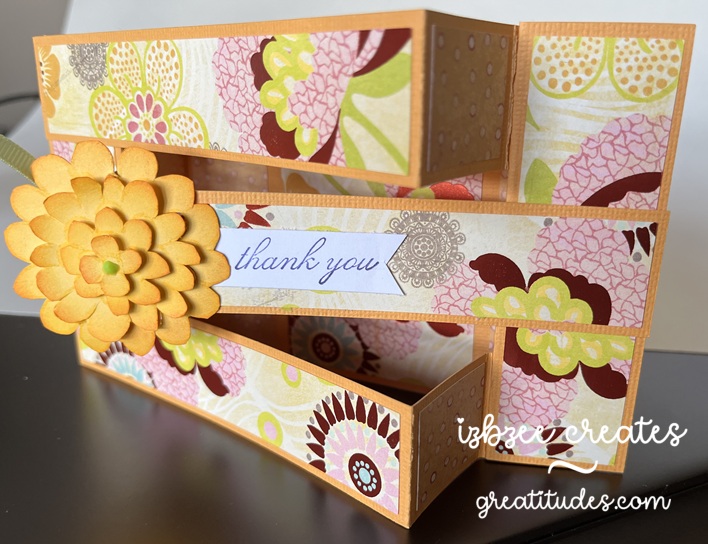
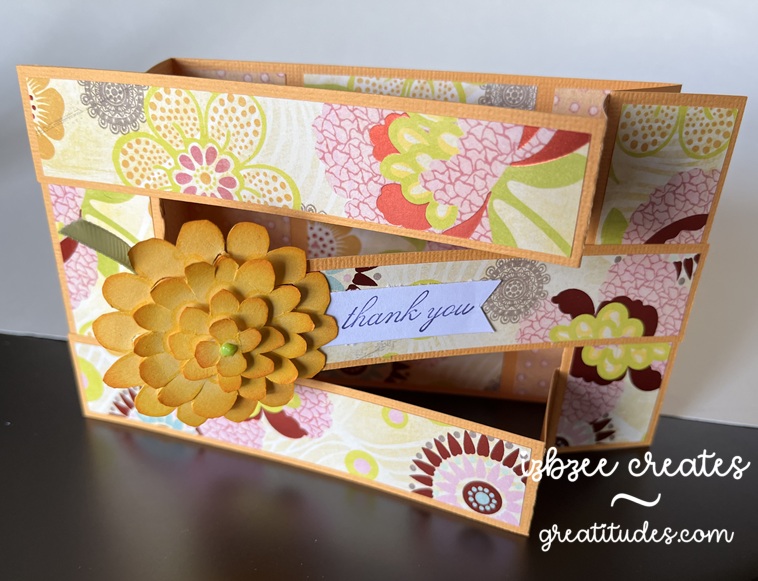
Triple Bridge card

This was a fun card to make — easier than I had originally thought and the inspiration came from a reel as I was scrolling a couple of weeks ago…. yep, I’m finding a few fun ideas here and there during some mindless time on my phone.

The sentiment (thank you) and the flower are from Stampin’ Up! sets long ago retired. *The flower was cut multiple times and then each “layer” was cut separately and inked for a little more volume and interest. The patterned paper is from a very old K&Co stack I purchased while we lived in another state — so it’s likely more than 11 years old.

A fun fact is that the base of the card can be cut from a single 8.5 x 11 inch sheet of cardstock. The panels almost fit on a 6 x 12 inch piece of double sided paper. And probably could if a few of the pieces were moved closer together or were cut by hand.

I enjoyed taking the template measurements and turning this into a SCUT file in SCAL 6 and using my Skycut to cut and save some time in the future when making this card and using digital paper for the panels when certain patterns require some finessing for printing. Only the base and panels were used in the SCUT file.

*The stamp images were not digitized.

You’ll need:

8.5 x 11 inch cardstock in your base color
12 x 12 double sided patterned paper

Scraps for flower and sentiment
Ink pad and blender tool
Glue or dry adhesive (I used Bearly Art Precision Craft glue for this sample, however, I think I’ll use some double sided tape for future makes)
SCAL 6
Skycut C24
Cutting and Scoring Template was found here. I altered the assembly slightly to put my own twist on the idea presented. However all measurements remained the same.

Floral stamp or other stamp for a focal piece
Sentiment stamp


Hoping you’re enjoying an awesome Spring day wherever you are and have inked in some creative time this week or for the upcoming weekend. Enjoy your time and keep nurturing your creative spirit.

where’s the cuckoo?

It’s been a crazy couple of weeks around our place… thus the cuckoo title. Me thinks the cuckoo flew the coop! Oh well, on with the make. I’ve gotten out of the habit of late taking pictures of the progress, so we’ll just have a couple.

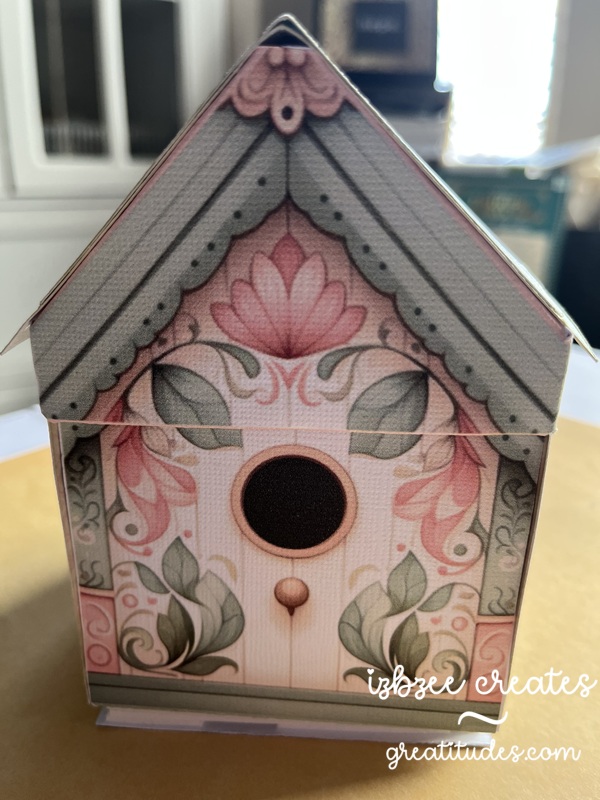
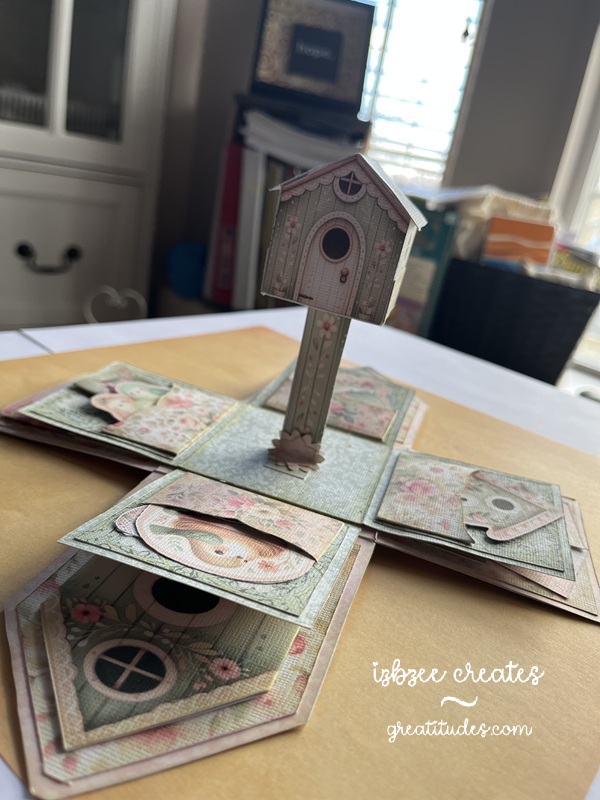
I did add a sound module from Invite By Voice to this make from Emma Parrish – you can find her shop on Etsy — and it’s really kind of fun to listen to when you open the box and look through the flaps and pockets. I didn’t follow her design exactly, but pretty closely. The audio was a find on Pixabay… yep, they have audio files and video files too!

TIP: You do need to pre-print the backs of each sheet before cutting. I did have to do a little redraw on a few shapes for a clean cut in SCAL — the jpgs just didn’t trace well – and that is a drawback to SCAL on some things especially if there are light lines on the image. I chose not to do the preprint on the back, but did print a separate sheet and cut the shapes. It worked well and gave my box a little more stability in the base and on the side walls.

That birdhouse in the center of the base does stand on it’s own. I changed out the flowers in the kit and used a flower punch. You do need at least 2 layers on the flower for extra strength at the base of the post. While you can’t see it in the picture, there is a Nuvo drop center in the flower for a little extra detail. Each of the images in the pockets are provided in the kit. And there were a few extras left over.

Even on selecting BEST for printing, the colors are a bit muted and vintage looking. I like that. The design is well thought out. She has lots of printable designs in her shop.

I wonder if the cuckoo will find it’s way home again?

where’s the cuckoo?

Additional materials:
AC and Encore cardstock (textured white)
Printer
Bearly Art glue – fine tip applicator
bone folder
foam tape
Sound module (light activated) from Invite By Voice
mp3 audio file (freebie from Pixabay)
Distress Ink (Old Paper)
blending tool

Hoping you’ve got some creative time inked in on your agenda for the coming week. Have some fun and nurture your heart along the way.

scrapbooking – restart!

It’s been a long dry spell since I put a scrapbook page together. Nearly 10 years since I’ve created a page for one of the albums.

The heart shape in this layered title was the piece that I really needed to figure out since there didn’t seem to be a way to make the squiggly line in SCAL using techniques I was familiar with. I decided to try my hand creating something in Procreate and it worked! I was able to save the image I created as a png with a transparent background and trace it in SCAL to use as a cut file.

The letters are adapted from the Cookie font I found on Creative Fabrica. I cut all the shapes using the using the Skycut C24 using the SCAL 6 Pro software. I used some Kraft and white cardstock. Coloring in the shapes with Ohuhu markers and some additional inkpads for depth and texture. The font used is Cookie from Creative Fabrica.

The journaling sheet is a pullout from the pocket created by the cover photo. There’s enough room for several 4×6 inch prints to be tucked in there.

That’s it for the this post — I hope you have set aside some time for some creative endeavors today, tomorrow or in the near future. Nurture your soul!

October cards

How quickly September has flown by. The leaves are beginning to turn colors and fall has officially arrived. We’ve enjoyed cool mornings and pleasant afternoons and evenings.

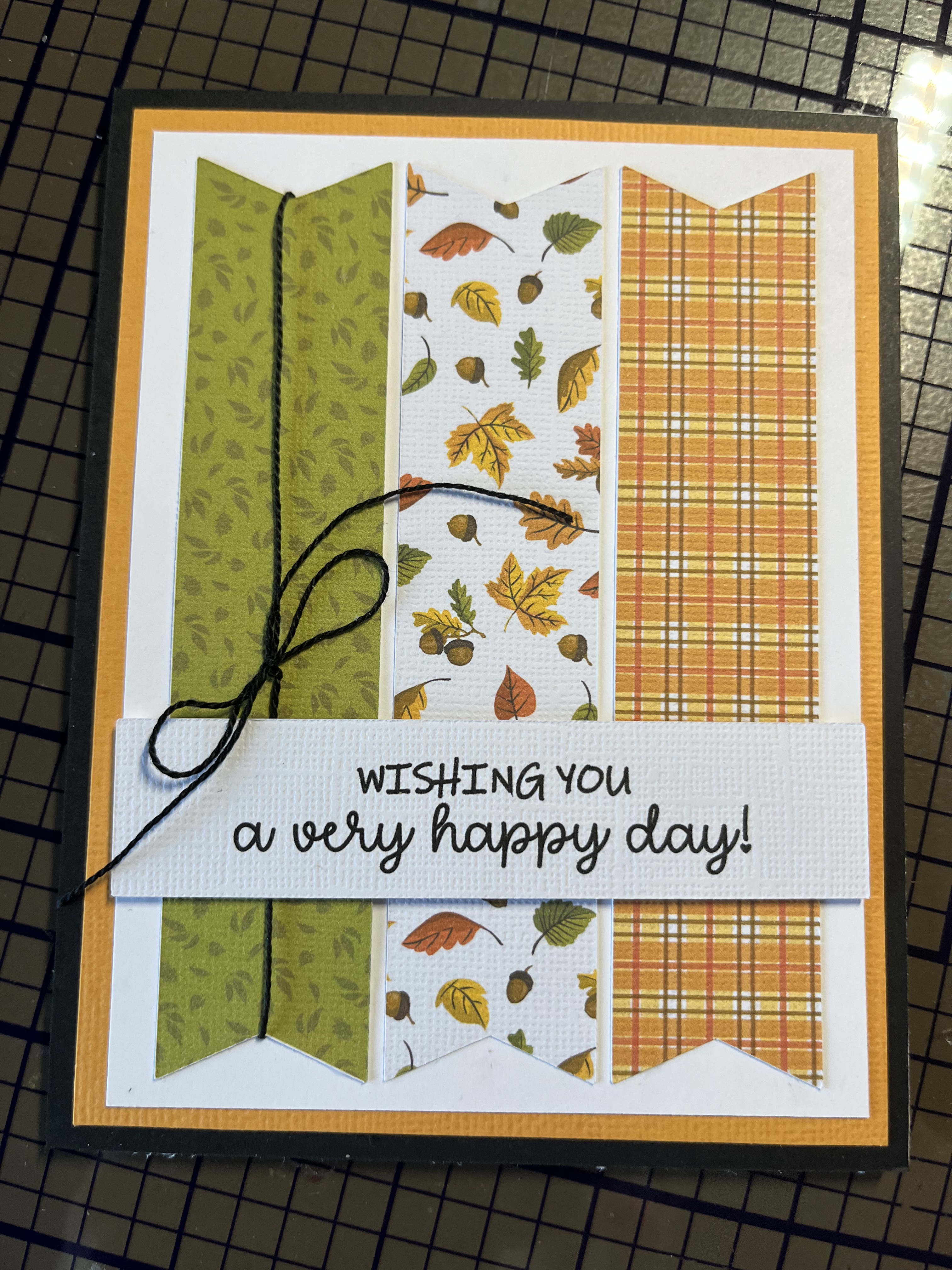
It’s also been fun to create cards using old and new techniques that will be delivered the first part of the month. This first card is the October ministering card. I saw a similar idea on Pinterest — but put my own twist on it using Procreate to “paint” the image using some of the techniques I’ve learned in a couple of online classes. The leaves are a brush from Sandra Createinspain. There were lots to choose from in a recent online offering. The sentiment stamp was found in a collection from Fun Stampers Journey (retired). Using my stamp jig made it very easy to add the sentiment on each card front after printing the main image.

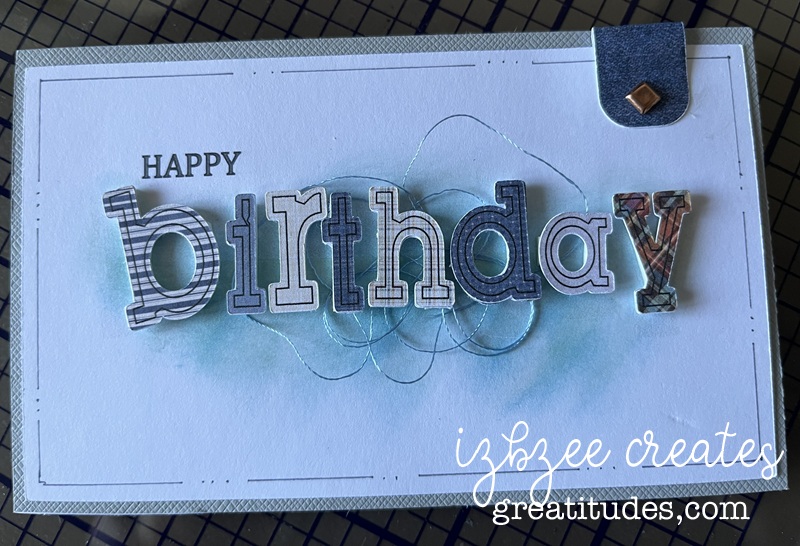
We have two birthdays at the beginning of the month. Mother and daughter. I had a difficult time choosing the designs, but I think ultimately, these will work just fine for them this year. The first card is print to cut — I used Impact font, filling each of the letters with a patterned paper from Creative Fabrica. Each letter is backed with a cut in black paper set slightly to one side to create a shadow. Birthday script is done in Edwardian Script and all pieces are printed using the SCAL software’s Print 2 Cut process. The dry embossed piece is distressed and adhered to a regular A2 card base. The embossing folder is from Fun Stampers Journey (retired). I love using some of my older products! It can be used either vertically or horizontally as used in this card.

Maybe in next iterations, I’ll add some additional inking for a little more texture and depth.

The last card for this post was designed in SCAL 6 – using basic shapes from the library. The flowers and leaves are printed in a base color with additional depth and details added using colored pencils and an embossing tool. The label was created using basic shapes — a rectangle and oval and then using the Mirror Symmetry command under the Effects tab to create the shape – I added some additional details using a Winsor Newton .01 gray pen, a background stamp (Stampin’ Up! retired), and inking the edges after some distressing using an emory board to achieve the desired look. The Happy Birthday banner has been shaped a bit and glued in place before adhering the piece to the panel that was embossed using a Provo Craft embossing folder — another item from the cupboard. I really enjoyed seeing this one come to life — adding additional color to each flower and leaf was a great way to add som more depth and the embossing tool added the texture that made a lot of difference in how the light impacts the design.

As always, the Skycut performed well and each print 2 cut design was spot on! I’ve had the machine for over 4 years and haven’t had to make any additional adjustments to the calibration after the initial set up for my machine!

3 Fall Tags – Tag #1

It’s that time of the year again… the weather is changing, it’s football season and it’s finally getting cool again. I love Fall! Lots of good memories – leaves changing colors, bon fires, s’mores, hot chocolate and soup weather! And creating some fun tags of the season.

This year, I’m trying some new to me stuff including making sketches, using SCAL and some other software to design some elements as well as use tools and other stuff that haven’t seen the light of day for a while. This tag involves pulling a few things from the drawers and cupboards! I’ll bet you’ll be able to recognize a few of them!

Stamps (Stampin’ UP! retired), embossing powder (heat embossing), embossing folder (Cuttlebug, retired), inks and of course digital images from Sandra Createinspain. And to finish, some Mod Podge for a little shine and a bit of ribbon make up this tag.

that ornament file has a new life

With Christmas not too far away, let's just say, getting a head start is a good idea for this gal.  I should have started two months ago…. at least on my cards!  

IMG_1312

Pinterest inspired, this make was lots of fun and I even got to use some things from my stash and the scrap bin too!  
The file for the ornament is from Simply Crafty SVGs and the file I used for the H is from the 3D Letter SVG Kit at SVGCuts.com. (You get the whole alpha in the kit!) 

The 3d Round ornament gift box file was also used for some Halloween decor in my last post.  But I thought that changing it up to a bell would work too.  I did do a search for something similar in 3D, but struck out, so it was time to put things together to bring it to life.  

Bell

This is also where the paper yarn came into the crafting picture.  I needed something small to fit in the space between the halves of the ornament… but nothing seemed to work.  I tried wrapping paper around some cording, a pipe cleaner, and even designed a boxy trim – but nothing looked right.  While browsing the net one evening, I found a tutorial for making paper yarn.  The form I liked the best was using crepe paper and you can get about 9 yards of "yarn" from 1 yard of crepe paper when it's all spun.  I did need to get a drop spindle — but that was okay as I plan to use it for some other projects as well.  

Here's what my "yarn" looks like after it is spun.


Yarn

BELLS:  Once the ornament has been assembled following the video (here), glue the two halves together.  Get those edges close together.  When dry, you can apply the paper yarn.  I used Bearly Art craft glue to adhere the yarn in the area between the two halves.  

Decorate as desired. I used some die cuts (dies from Sizzix) and some wired ribbon I found at Hobby Lobby — yep, they're already setting their Christmas section!  

LetterH

Letter H:  Assemble the H according to the directions.  It really is an easy letter to put together.  Ink the edges of the H panel.  Decorate with a strip of black across the center of the H and add a second piece of black that has been threaded through the belt buckle.  I purchased a tin of buckles and frames from Oriental Trading quite a while ago and still had some that worked well for this project.  Adhere this panel to the front of the H and you're ready to display!  

As you can see, I made 3 of each – 3 bells and 3 H's.  You can display them in a several ways – and they'll be perfect for your holiday display this year and in years to come.  

IMG_1312

Happy Crafting!  Enjoy some creative time today and every day!