Holidays

Holiday Tags Reveal – pt 2

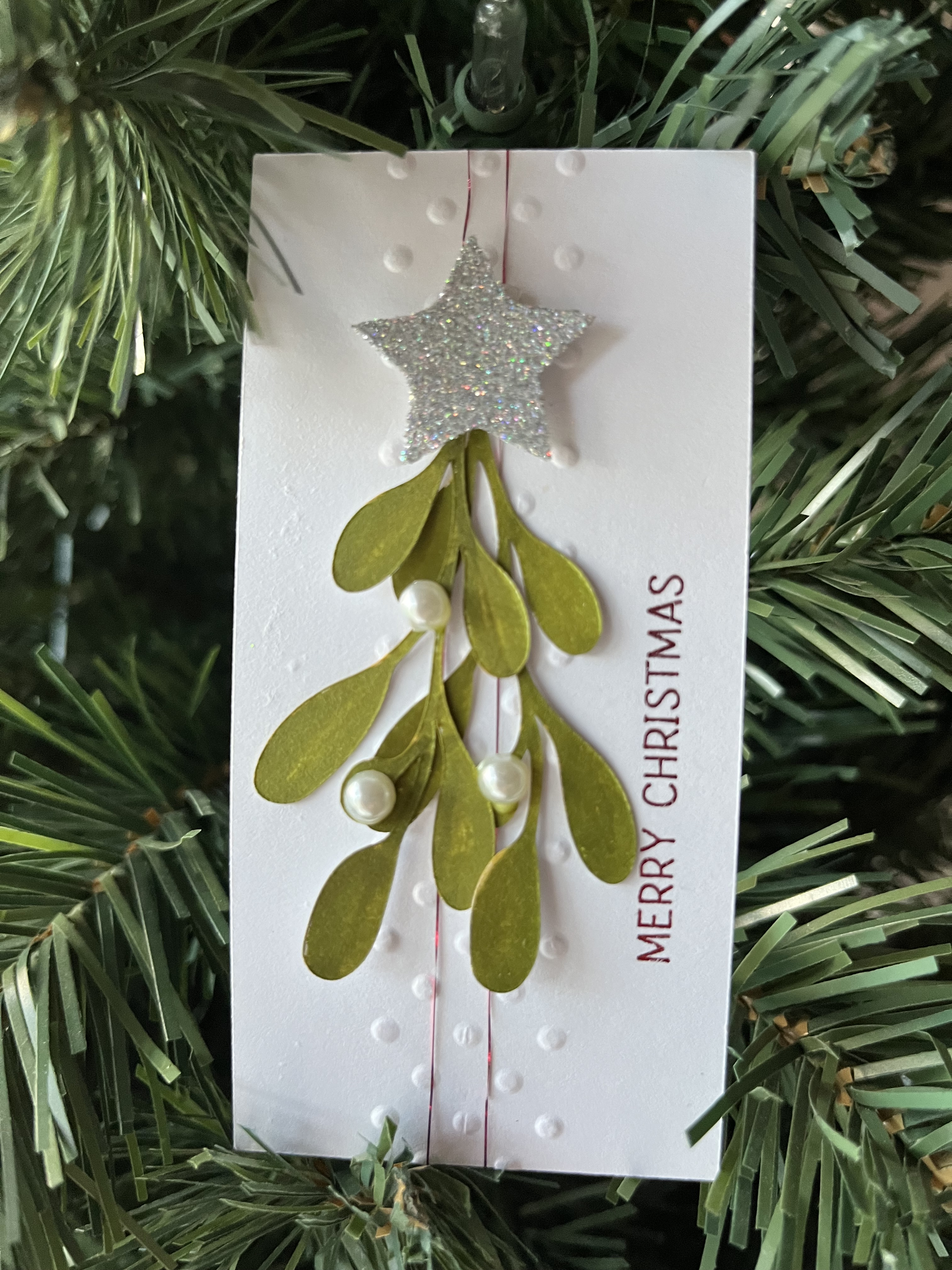
I really like this tag. The mistletoe cut is from a collection I found at Creative Fabrica. The embossing was done using an old border folder and the “merry Christmas” was done using the Foil Quill. Half pearls and some metallic thread and a glittered star round out the rest of the details for this tag. It would also work as a panel for a future card — maybe next year’s card… we’ll see.
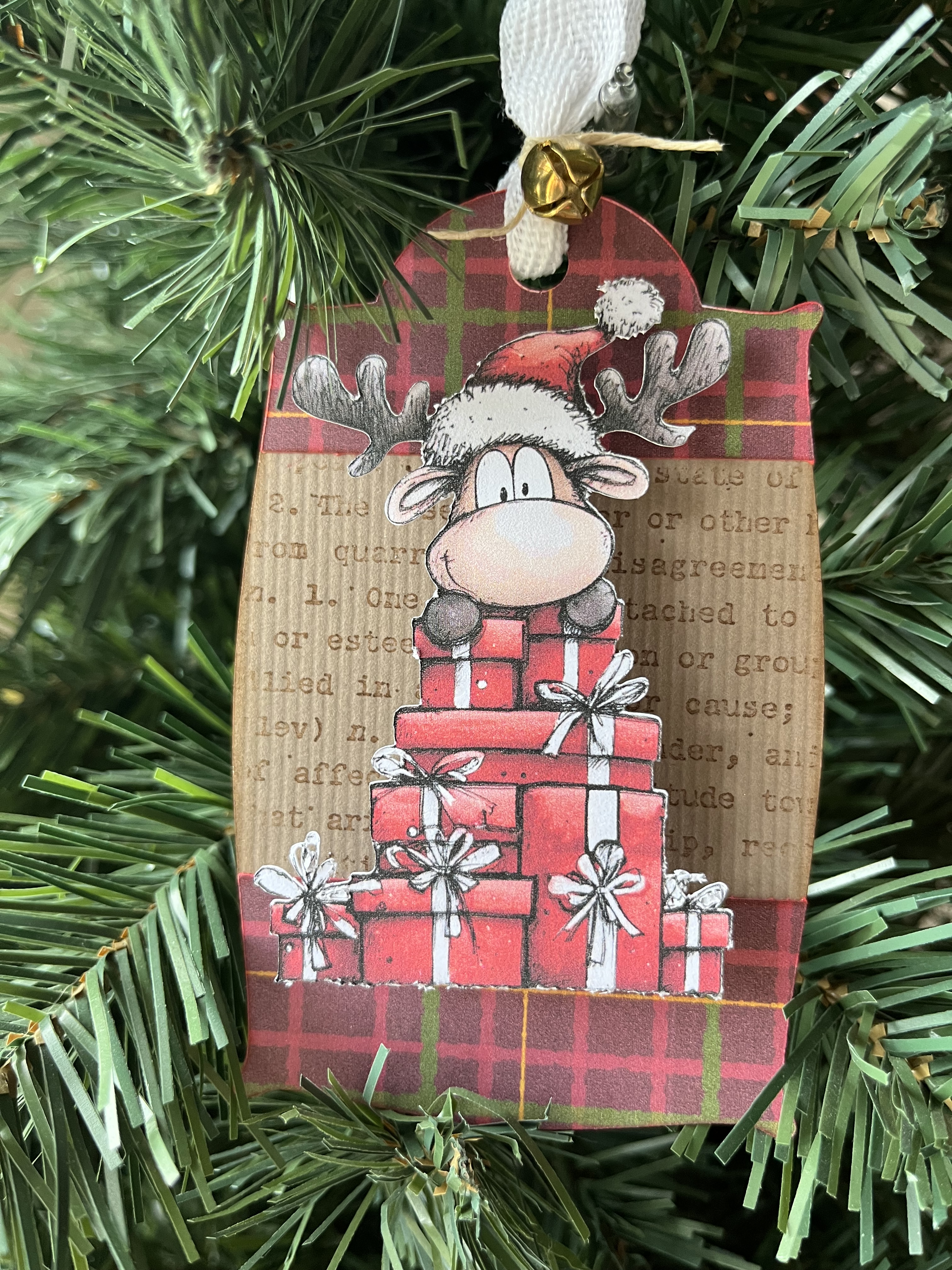
Digital image from Creative Fabrica. The plaid is from an old Carta Bella Christmas/Winter collection. I did use an old background stamp for the base of the tag and added some cuts in the plaid for trim. The digital image is propped on a wobble and it’s fun to watch it shiver and shake!

Over the course of the years, I’ve tried to include one tag that has some interactive component – music, lights, wobble, motor, etc. This year, I opted to use a chibi light on a reed switch circuit. The last time I tried that particular circuit I couldn’t get it to work… this year, it worked on the first try! I’ve had some fun with it and the bar magnet was a perfect tool for the on/off switch! I’ll be using that circuit again for sure. The tag shape was created using shapes in the SCAL library. I used two layers of foam tape to allow for the depth of the switch and battery. Since the switch is generally in the off position, the battery lasts much longer than if I was using a regular circuit and a switch at the battery.

These tags are always fun to make. Hopefully, next year, we can bypass the pneumonia and other issues and just have time to play and create! I’m looking forward to it!
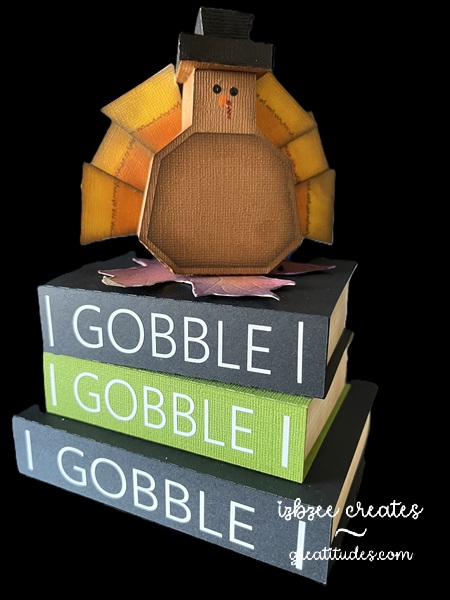
Gobble, gobble, gobble

I’d wanted to use this file to create the Halloween version, but couldn’t get to it soon enough for this year’s display…

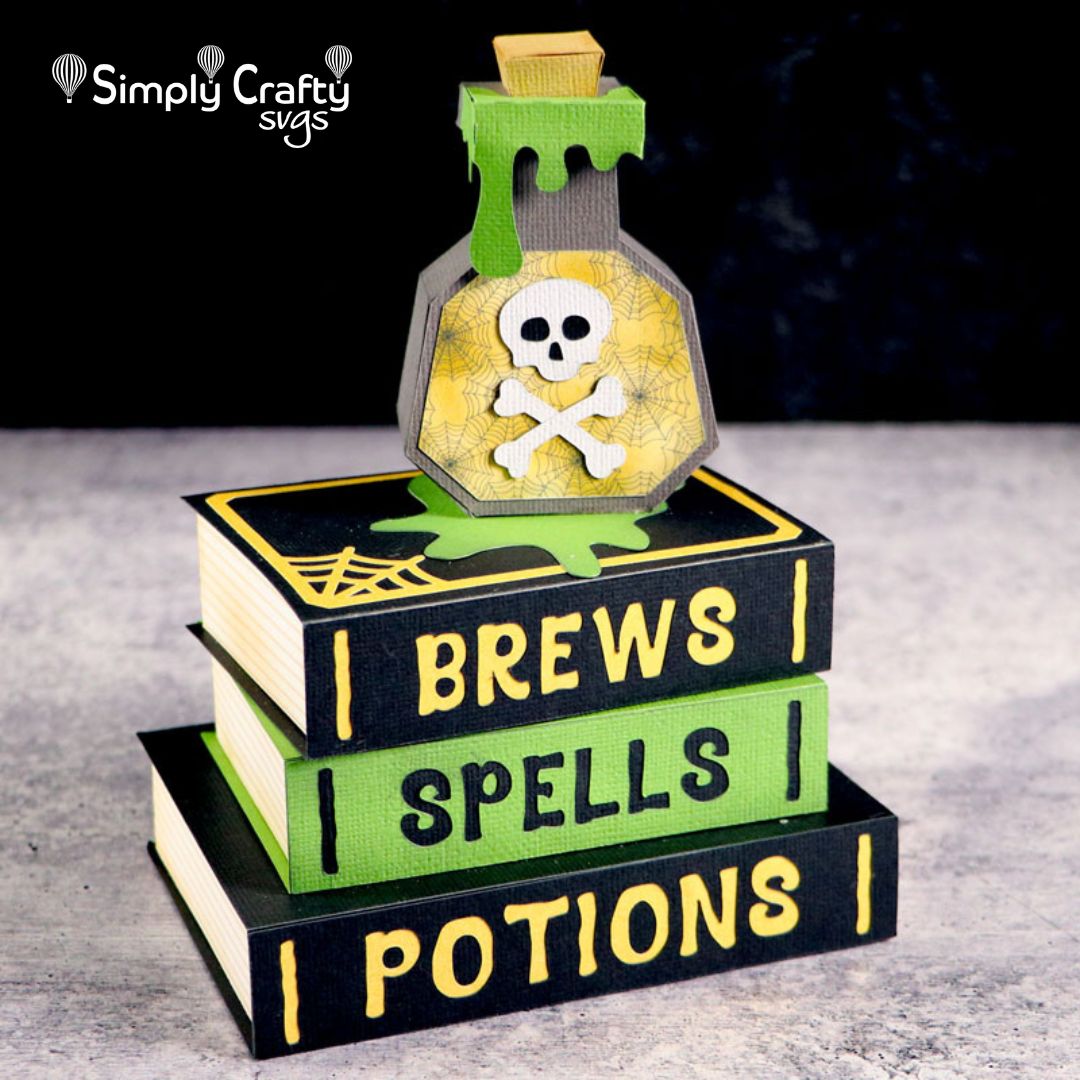
image credit Simply Crafty SVGs

so I decided to see if a Thanksgiving version would work. I think it does! I’m looking forward to putting it out next week!

I left the file at it’s original size, changed out the words for the spines of the books – using vinyl. It’s a fun box to make and pretty easy to assemble. The finished size is about 5″ x 4″ x 6″. A little big for the tiered tray, but will be a good companion piece all in all.

I created the feathers using a triangle from the SCAL library and then colored them using markers. I doubled them up for a clean finish front and back. I added some stitching details and inked the edges before gluing them to the turkey body. These are tucked into the body piece before gluing the sides together, but could be glued to the back panel instead if desired.

For the top of the box I added a maple leaf (also found in the SCAL library), colored it with ink and then roughed up the edges a bit before gluing it in place. The lid to the box is held in place with a hook and loop dot.

If I were to do another one, I think I would change up the book cover colors a bit and add a couple of leaves draping them over the edges of the books as well as add a few more details on the spines about the books with some different wording. Lots of options and I do think I see a snowman in a future iteration of the this file.

On a side note: Sandy is closing her web store sometime next year. She has set up an etsy store and is moving a few things over to Creative Fabrica as well. So we won’t be losing access to her creative files and work. You’ll also want to follow her on YouTube for assembly videos.

Wishing you a creative day! Have fun and keep nurturing your soul….

November decor

As luck would have it, a few of our older decorations for the month of November need to go — they’re bent, torn and some are beyond repair. That being said, it just means it’s time to get started on some new pieces to replace the ones that are no longer usable.

Welcome to our newest additions:

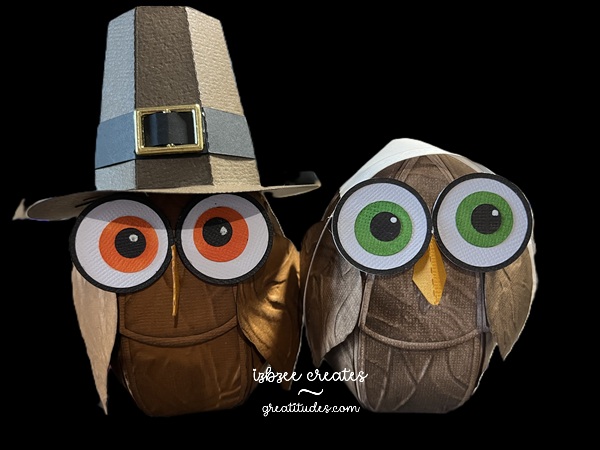
I thought if might be fun to use the Easter Egg Gift Box as the base again for another pair of owls. Yep, similar to the Halloween themed owls found here. The Pilgrim Hat file is also from Simply Crafty SVGs and was resized to 47% of the original size. I had a metal buckle in my stash to use and her cap is simply a rectangle with a little shaping. I used a Spellbinder’s embossing folder (retired) for the panels and wings and then brushed ink over the top for a little more depth. A FUN NOTE: Our Miss Pilgrim was cut from white paper and then inked to add color. Eyes and beak are colored with markers.

Right now this pair is sitting on a shelf waiting to take their turn on the mantel or in the tiered tray as soon as October’s decor is put away in a few days. We’ll see where they end up.

Hope you’re finding some time to create in your space. Take care and we’ll connect again soon.

3 Fall Tags 2025 – Tag 3

I saw something similar a few weeks ago on Pinterest and thought I would try my hand at doing something like it for my final tag in this challenge.

I drew and colored the bat in Procreate. After saving it as a png, I was able to do a little final editing in Photopea (an online photo editing program-free) before importing into SCAL. I did hand cut the white portion of the eyes so I could put a small piece of vellum behind that now open space with the goal of adding lights* to the tag.


For the remaining pieces of this tag, I used basic shapes from the SCAL library and added some fun papers using the Pattern command option. It’s so much fun to play with. The papers are from Echo Park (I Love Halloween Mega Collection). Everything in this matting was set to print 2 cut and the easy step by step process works magically each and every time! I added some inking to add a little more interest and texture before putting the tag together.

*The light is from Pear Blossom Press. I used the EZ-Light version. It’s an all in one unit with 3 lights each and the packaging also includes the batteries. The word PRESS is a stamp from TLC Designs. They’re perfect for interactive cards as well as indicating where the ‘button’ is on a light up card or tag.

These tags and several others can be found on our Facebook page: https://www.facebook.com/groups/eclipsecal
We have some amazing artists on the page and since I’m writing this a little early — my hopes are that we’ll have several of them participating again this year!

that ornament file has a new life

With Christmas not too far away, let's just say, getting a head start is a good idea for this gal.  I should have started two months ago…. at least on my cards!  

IMG_1312

Pinterest inspired, this make was lots of fun and I even got to use some things from my stash and the scrap bin too!  
The file for the ornament is from Simply Crafty SVGs and the file I used for the H is from the 3D Letter SVG Kit at SVGCuts.com. (You get the whole alpha in the kit!) 

The 3d Round ornament gift box file was also used for some Halloween decor in my last post.  But I thought that changing it up to a bell would work too.  I did do a search for something similar in 3D, but struck out, so it was time to put things together to bring it to life.  

Bell

This is also where the paper yarn came into the crafting picture.  I needed something small to fit in the space between the halves of the ornament… but nothing seemed to work.  I tried wrapping paper around some cording, a pipe cleaner, and even designed a boxy trim – but nothing looked right.  While browsing the net one evening, I found a tutorial for making paper yarn.  The form I liked the best was using crepe paper and you can get about 9 yards of "yarn" from 1 yard of crepe paper when it's all spun.  I did need to get a drop spindle — but that was okay as I plan to use it for some other projects as well.  

Here's what my "yarn" looks like after it is spun.


Yarn

BELLS:  Once the ornament has been assembled following the video (here), glue the two halves together.  Get those edges close together.  When dry, you can apply the paper yarn.  I used Bearly Art craft glue to adhere the yarn in the area between the two halves.  

Decorate as desired. I used some die cuts (dies from Sizzix) and some wired ribbon I found at Hobby Lobby — yep, they're already setting their Christmas section!  

LetterH

Letter H:  Assemble the H according to the directions.  It really is an easy letter to put together.  Ink the edges of the H panel.  Decorate with a strip of black across the center of the H and add a second piece of black that has been threaded through the belt buckle.  I purchased a tin of buckles and frames from Oriental Trading quite a while ago and still had some that worked well for this project.  Adhere this panel to the front of the H and you're ready to display!  

As you can see, I made 3 of each – 3 bells and 3 H's.  You can display them in a several ways – and they'll be perfect for your holiday display this year and in years to come.  

IMG_1312

Happy Crafting!  Enjoy some creative time today and every day!  

a little more Halloween fun!

It's been a fun week in the studio.  I've enjoyed nearly every minute and even learned a new technique along the way that I've been able to incorporate into the projects I've been working on.  

Check out these cuties:  The original file is from Simply Crafty SVGs and is called the 3D Round Ornament Gift Box.  You'll find it here… all adaptations are mine and are not included with the original file.  when completed the boxes do not open.  

The pumpkin …

Punkin

has some additions after making as shown in the video on Sandy's site.  I inked the ornament heavily and then glued the two halves together. 

This box will not open and is for decorative purposes only.   
For the paper twist stem:  Untwist and "wrap" around the area where the hanger would be.   Glue in place.  I used Bearly Art Craft glue.  Hold in place until the glue dries a bit. 

The eyes are: 1/2 of a small styrofoam ball.  Just cut the ball in half and do a little rolling and molding to get them shaped as you'd like.  Wrap in crepe paper, glue and ink around the edges.  I chose hot glue to hold the eyes in place.  

The nose is a bead from my stash.  I made sure the hole was on the side and because of the solid  color of the bead, it is barely visible.  

The mouth is a piece of Paper Yarn that I made using some crepe paper and a drop spindle to "spin" the yarn and then dyed with ink.  I added some "stitching" lines after the "yarn" was glued in place with a thin line of hot glue.  

The green ornament is made the same way — halves glued together and lots of inking. 

Greenie

I did add some brown/grey moss to the neck of the ornament for a little more texture and interest.  The bugging out eyes are definitely fun and while I didn't ink around the edges, you definitely could if desired.  

Lastly for this post, I have used the Round Candy Box also from Simply Crafty SVGs and you can find it here.  I did alter the panel on the box and it was really easy to do so in SCAL 6 (you don't have to have the PRO version to do that either).  Ink the pieces of the box before assembly.  I added a strip of paper yard that I'd dyed black using ink and then filling in some areas with a black alcohol marker (Spectrum Noir).  The facial features are from a collection I found at Creative Fabrica.  You'll find it here but you'll need an all access subscription to get the best deal on this and thousands of other files you'll find you can't live without!  :)  Enabler Alert!

Frankie1
Lift the lid for more: 

Frankie2

I used permanent vinyl.  I did make an error when matting the white vinyl pieces, but decided not to mess with it and recut before layering and applying the vinyl — I kind of like the way it looks not being lined up perfectly.   I placed the eyes  of the facial details under the stitched paper yarn and the mouth on the box base – it's hidden until you open the box.  It was fun and something I've not seen done in a long while.  
Here's a quick video:  https://youtube.com/shorts/P8SxoSBgkEw?si=NbXJUyFqQePtQhLd

More coming soon….  Hoping you're enjoying some creative time!  Nurture your soul for a while today!

Halloween 2025

I got started early this year.  The inspiration for this make came from the Summer 2025 edition of Country Sampler.  Finding globes at the thrift store or yard sales around here is difficult to say the least — so remembering that I already had a globe file from a few years ago, decided to try to recreate the project, adding my own twist, using paper.  I think it turned out quite nicely!  And, yes, the globe can turn if you don't glue the hat to the top of the globe.  

IMG_1294

Files I used to create this:
Globe:  https://bribos.nl/product/108-globe/
Hat:  https://www.simplycraftysvgs.com/shop/holidays/halloween/smiling-jack-o-lantern/
Face:  https://www.creativefabrica.com/product/cute-pumpkin-faces-jack-o-lantern-faces/

AC cardstock (12 x 12)
Vinyl from stash
Heavy body black paint, 1 inch foam brush
embellishments from stash (cheese cloth, mini rosette, purple web, ribbon

SCAL 6 Pro to mat and Skycut C24 to cut paper and vinyl
eBrush, Spectrum Noir markers
Hot glue gun
Bearly Art Craft Glue
Straw